

The 4800 Dollar Question Consultants Always Have
Spending three to five thousand dollars on a fresh site feels like a big step. The person building it turns and wonders: WordPress, Wix, or maybe Squarespace instead?
It’s hard to tell. Each one seems polished, though. Most say they’re simple enough to use. Every single example site looks stunning, somehow.
Most people do not realize how much depends on one choice. Whichever system you pick shapes what happens next – your site either works hard or sits idle. From testing each option, working directly with advisors, clear patterns emerged. Results were not slightly different – they stood apart completely.
This guide reveals the right platform for your unique needs. Forget abstract debates – insights come from real consultants who attract clients online. Results are based on evidence, not guesses. Each detail helps clarify what works. The choice becomes clear through practical examples. Understanding grows by seeing how platforms perform. Clarity comes after reviewing honest outcomes.
The truth about platform choice
The surprising reality comes first: success in lead generation rarely hinges on the platform itself.
One time, a Wix site pulled off an 8% conversion rate – meanwhile, some WordPress builds barely hit 0.9%. Revenue numbers? A Squarespace project once crossed $200K yearly, while hand-coded ones sometimes sit empty-handed.
Success isn’t set by the platform. It’s shaped by how you convert. What matters isn’t where you are, but what you do next. The tool stays neutral – your approach drives results.
Still, the platform sets limits. While some simplify lead generation, a few complicate it without reason.
Here’s what actually matters for consultants:
- Is it simple to gather potential customers who are at various points in their decision process?
- Using your CRM – no coder needed. Integration happens straight through built-in tools. Setup runs on preset links between systems. Access comes from user-level permissions already active. Functions connect automatically when accounts sync. Workflow stays aligned once data flows match. Tasks update as records move across platforms.
- Is it possible to include analytics along with conversion tracking?
- Will growth stretch what you’ve built? What happens when demand climbs higher – does everything hold together?
- What is the total price when all extra charges are included?
Consider how every tool performs when drawing in clients as a consultant.
WordPress For Professionals Who Want To Learn
What It Is
Nearly half of every site online runs on WordPress. This type of tool is free to use and set up on a server. Owning your space here feels different than leasing it. The control shifts into your hands, much like property ownership does.
The Good
Complete Control
Your stuff belongs to you – every bit of it. Content, data, designs – they’re under your control. Should you decide to switch hosts, nothing stops you. Need special features? Go ahead and build them in.
Unlimited Scalability
A client portal – possible. A membership section? Just as achievable. How about a course setup? WordPress handles that too. Begin with basics. Layer features over time, matching your pace. Growth guides the next step, not the other way around.
Best Integrations
Most customer management systems plug right into WordPress. Whether it is Zoho, HubSpot, or even Salesforce, each connects without friction. Mailchimp fits just as smoothly – integration happens quietly behind the scenes.
SEO Powerhouse
A fresh start each time shapes how clearly WordPress works alongside tools like Yoast SEO or Rank Math. Control spreads across every detail that affects search results. When meta descriptions matter, they are easy to adjust. Schema markup appears where it counts without clutter. Even XML sitemaps form part of the flow naturally. Each piece fits because oversight stays tight.
The Bad
Steeper Learning Curve
Understanding the fundamentals matters most. Instead of code, focus shifts to elements such as plugins, yet also includes themes along with update routines. Driving yourself becomes a better comparison than relying on a ride – grasping control makes the difference.
Maintenance Required
Every once in a while, WordPress asks for an update – so do its themes and plugins. Falling behind opens doors hackers might walk through. Set aside roughly one to two hours each month, otherwise hand the task to another person.
Plugin Overload
A large number of plugins – over 60,000 exist – often leads users toward excess installations. Performance dips when overloaded; errors creep in through mismatched code. Staying focused prevents those issues.
The Real Cost
Bare Minimum:
- Hosting: $10-30/month (Bluehost, SiteGround, Kinsta)
- Theme: $0-60 (one-time)
- Essential plugins: $0-100/year
- Total cost during the first year ranges between one hundred twenty dollars and four hundred sixty dollars
Professional Setup:
- Managed hosting: $30-50/month (WP Engine, Kinsta)
- Premium theme: $60 (one-time)
- Premium plugins: $200/year
- Year one overall: six hundred twenty to eight hundred sixty dollars
With Developer Help:
- Setup: $1,500-3,000 (one-time)
- Ongoing maintenance: $100-200/month
- Year one totals range from two thousand seven hundred dollars to five thousand four hundred dollars
Best For
- Consultants who want complete control
- Those planning to scale (add courses, portals, complex features)
- Anyone comfortable learning new software
- Firms planning to bring on a virtual assistant or coder down the line
Lead Generation Strong
Built right into WordPress, lead magnets take little effort. When it comes to email automation, you’re never short on choices – plenty exist. Most platforms connect without trouble, so CRM links work smoothly. Testing different versions? There’s more than one plugin ready for that.
Your ability – or how much you can pay someone else – sets the real boundary.
Wix Simple for Beginners But Has Limits
What It Is
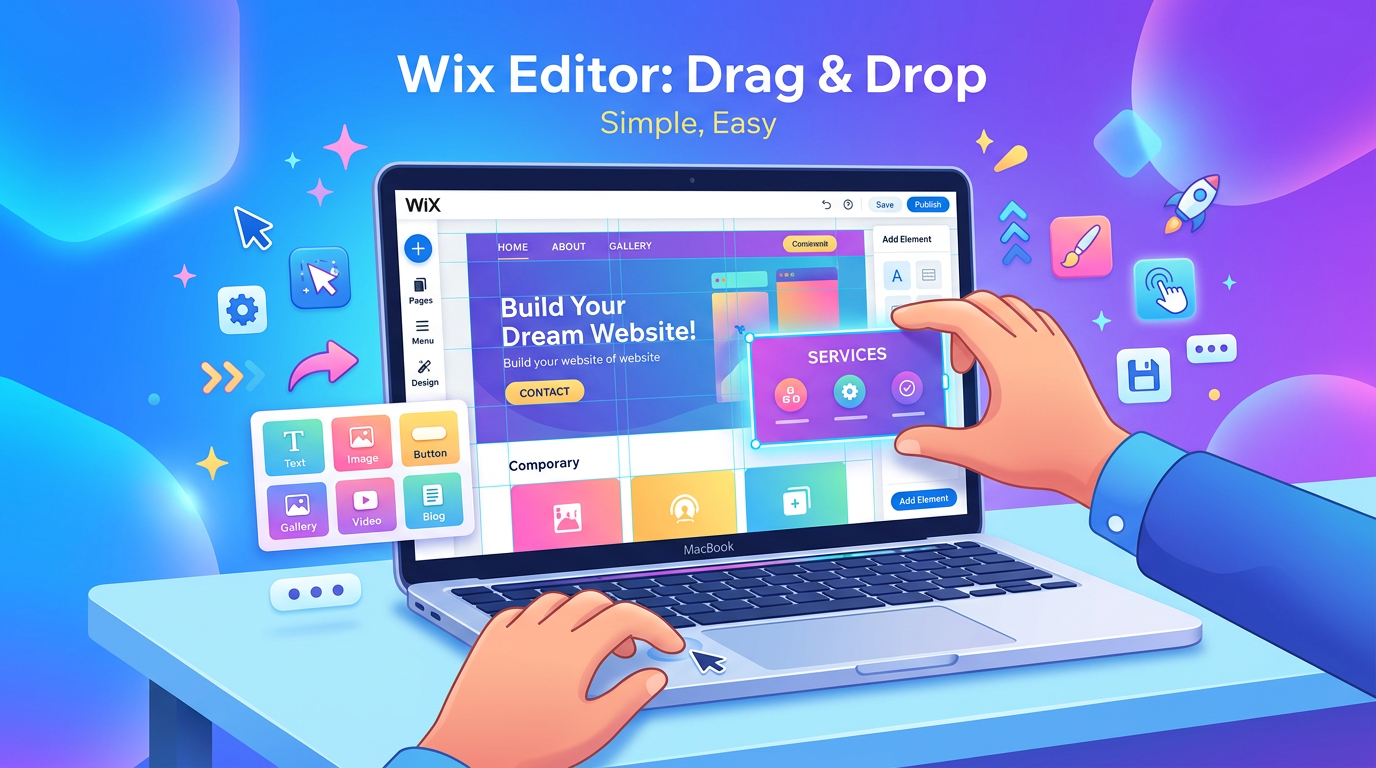
One thing about Wix: it brings everything together. Built-in hosting keeps your site live without extra steps. Design options come ready to use – no need to install anything else. The editing system works by dragging elements where you want them. Technical skills? Not necessary here. Everything fits under one roof, working straight away.
The Good
Easiest to Start
Start by moving pieces directly on the screen. Watch updates appear right away. Without coding or complicated steps, it stays simple. In just two days, a polished website takes shape.
All-Inclusive
Wix takes care of hosting, along with SSL and protection measures. Technical setup slips from your mind entirely. Everything, including backup systems, runs without your involvement.
Beautiful Templates
Beautiful layouts come standard with Wix. Designs feel current – like they cost more than they do. A strong opening moment stands out right away.
Built-In Features
Handling forms, booking times, selling simple goods – everything works straight away. Fewer pieces need oversight.
The Bad
Limited Lead Generation Tools
Automation of email works at a fundamental level. Segmentation does not go beyond simple groupings. Though CRM links are present, they function less fully than those found within WordPress environments.
Harder to Migrate
Starting fresh might be easier than expected when switching from Wix to WordPress. Content rarely transfers without issues. Rebuilding becomes unavoidable once migration begins.
SEO Limitations
Beyond what it once was, though lacking the adaptability of WordPress. Full command isn’t possible here. Certain technical SEO tools remain absent.
Costs Rise with Growth
For sixteen dollars each month, the package lacks essentials for consultants. Include form tools instead of keeping Wix labels on pages; swap in a personal web address along with messaging access – costs climb to between thirty and fifty per month.
The Real Cost
Minimum for Consultants:
- Business Basic: $23/month
- Custom domain: Included
- Wix advertisements disappear when you opt out. Features come built-in without extra steps needed. Access changes happen automatically after selection
- Year one adds up to two hundred seventy-six dollars
Practical for attracting new customers
- Business Unlimited: $32/month
- Wix Automations: $0 (limited features)
- Premium apps: $50-100/year
- Year one totals range between four hundred thirty-four and four hundred eighty-four dollars
With All Features:
- Business VIP: $49/month
- Advanced apps: $200/year
- Year one adds up to seven hundred eighty-eight dollars
Best For
- Brand new consultants who need something fast
- People without a tech background often prefer not to dive into learning it
- Solopreneurs who will handle everything themselves
- Some consultants place greater emphasis on aesthetics rather than complex functionality
Lead generation capability rated six out of ten
Starting off, Wix covers fundamental needs – contact forms, basic lead tools, email collection. Yet when it comes to deeper functionality, such as intricate workflows or fine-grained reporting, capabilities fall short. Integration with robust CRM systems also remains restricted, limiting expansion potential.
Generating leads is possible. Yet deeper optimization remains out of reach.
Squarespace Balances Design and Functionality With Limitations

What It Is
Sometimes design matters most – this one delivers clean layouts without clutter. A step beyond basic builders, it offers subtle control where needed. Templates catch attention fast, yet stay simple underneath. Flexibility appears quietly, not forced. Compared to others, it feels polished, almost understated. Tools fit together naturally, not stacked high. Creativity gets room, just not noise.
The Good
Best-Looking Templates
Beautiful layouts define Squarespace’s style. When visuals matter most, creators often choose this system. Their polished appearance comes from careful planning, not accident.
Better for Blogging
Apart from Wix, blogs here handle text more cleanly. Reading feels smoother thanks to clearer type layouts. Structure plays a role too – content stays easier to follow. Organization shifts subtly but makes a difference over time.
Solid Email Marketing
Actually, Squarespace Email Campaigns works well. While it lacks the strength of specialized tools, it outperforms Wix by a noticeable margin.
Professional Analytics
Though built-in tools offer deeper insights than Wix, they fall short when compared to WordPress paired with Google Analytics.
The Bad
Less Flexible Than WordPress
Your options depend on Squarespace’s limits. A unique function you want? Out of luck. An exact tool connection required? Pray it’s already built in.
Costly Relative to Value
For twenty-three to forty-nine dollars each month, you get tools already available through WordPress at ten dollars a month when hosting is included. What you’re covering here is ease of setup along with visual appeal. Cost jumps happen because someone else handles layout work and streamlines access.
Limited Integrations
Beyond major platforms, options shrink noticeably. Mailchimp connects smoothly – Zapier too – but lesser-known services frequently fall short. Newcomers rarely slot in without hassle.
Template Lock-In
Starting over happens each time a template changes. Content moves poorly across different designs.
The Real Cost
Minimum for Consultants:
- Business Plan: $23/month (annual billing)
- Custom domain: Included
- Year one amounts to two hundred seventy-six dollars altogether
Realistic Setup:
- Business Plan: $23/month
- Email campaigns: $5-10/month
- Year one overall: $336 up to $396
Full Features:
- Commerce Basic: $27/month
- Email campaigns: $10/month
- Third-party integrations: $50/year
- Year one adds up to four hundred ninety-four dollars
Best For
- Consultants who prioritize aesthetics
- Those who blog regularly
- Organized companies find clarity when design stays straightforward. Simplicity works well where efficiency matters most. Clear visuals support decisions without extra noise. Purposeful layouts replace clutter naturally. Function follows form quietly behind the scenes
- Folks who value simplicity might spend extra without thinking twice. Ease often justifies higher costs in their eyes. What matters most? A smooth experience, not savings. Paying a bit more feels reasonable when things work right away. Comfort shapes choices, even at a price
Lead generation capability rated seven out of ten
Despite its simplicity, Squarespace supports effective lead collection. Built-in forms appear alongside tools for gathering emails. Automation stays limited yet functional across daily tasks. Connections to key external services work smoothly behind the scenes. While less flexible than WordPress, it outperforms Wix in overall capacity. Performance gaps exist, though they rarely block core progress.
Most consultants find it sufficient. Those handling intricate funnels may hit constraints.
The Real Difference That Counts
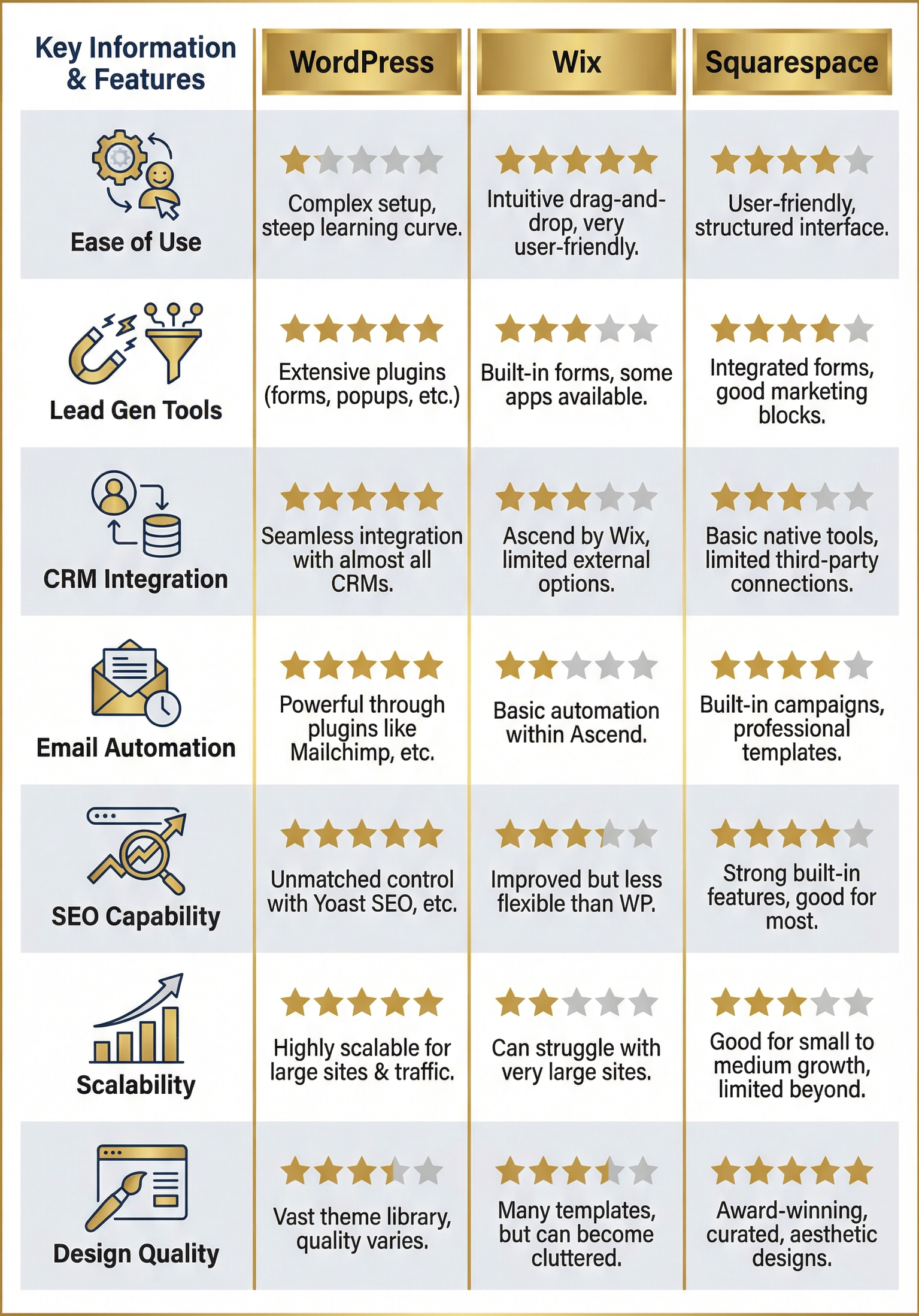
Real Consultants Choosing Paths And Reasons
Sarah Executive Coach Chooses WordPress
Her Situation:
- Three years since starting operations
- Growing from solo to small team
- Needed client portal and course platform
Why WordPress: “I knew I’d eventually want to add courses and a members area. Wix couldn’t do that. WordPress let me start simple and add features as I grew.”
Result:
From a simple website it grew. Eight months on, LearnDash came into play – shaping course delivery. A year and two months after launch, a client portal appeared. Migration never became necessary. The structure held firm throughout.
Revenue Impact:
Website + course platform now generates $180K annually.
Michael Strategy Consultant Picks Squarespace
His Situation:
- Just starting consulting
- Wanted beautiful portfolio site
- Set on posting blog updates often
Why Squarespace: “I’m not technical. I wanted something that looked amazing without hiring a designer. Squarespace templates are gorgeous and the blog features are excellent.”
Result:
Ten days marked the site’s debut. Weekly articles appear without fail. Though built affordably, its look suggests higher investment.
Revenue Impact:
Around eight to ten people ask for consultations each month through the site. Most visitors arrive via the blog, making up roughly six out of every ten. Though other sources contribute, the majority stem from written articles posted regularly. This pattern has held steady over recent months without sudden shifts.
Case Study Three Jennifer Business Coach Picks Wix Then Leaves
Her Situation:
- Needed site immediately
- Zero technical knowledge
Budget: $500
Why Wix First: “I needed something fast. Wix let me launch in a weekend.”
Why She Switched (18 months later): “I was paying $49/month for Wix but hitting limitations. Couldn’t integrate with my new CRM properly. Automation was too basic. Moved to WordPress.”
Lesson:
Starting with Wix works well when speed matters. Yet rapid growth often leaves it behind.
The Decision Framework For Choosing A Platform?
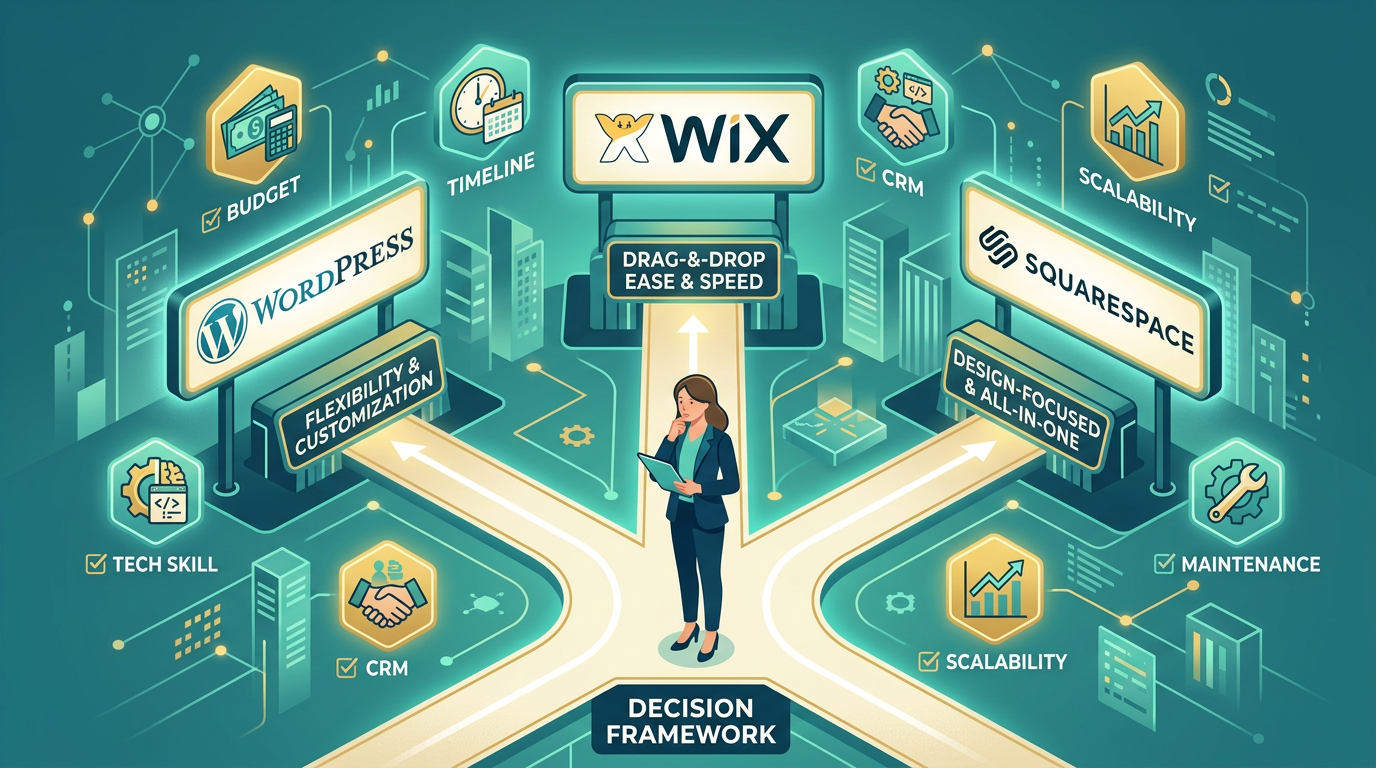
Five questions need answers
How Tech Savvy Are You?
“I’m terrified of technology. I can barely use email.”
Pick Wix if your main goal is straightforward building. Simplicity matters most when getting started.
“I can learn new software if it’s worth it.”
Picking either Squarespace or WordPress means a small initial effort up front – yet opens far greater possibilities down the line. While unfamiliar at first, both grow easier with practice, offering tools that adapt as needs evolve. Each step forward builds confidence through doing.
“I’m comfortable with technology and willing to invest time learning.”
WordPress stands out when control matters most. Learning it takes effort – yet the payoff shows clearly over time. Flexibility comes through experience, not shortcuts. Mastery grows slowly, but it sticks. The system rewards those who stick around.
What’s Your Timeline?
“I need a site live by next week.”
Wix gets you online quickly – launch speed stands out. Starting here means less setup time. That advantage shows right away.
“I have 2-4 weeks to build properly.”
Picking the right platform matters – Squarespace or WordPress will work. Spend real time on the decision; rushing leads nowhere. Each has strengths, yet the fit depends on how you plan to build.
“I’m hiring someone to build it.”
WordPress often lasts longer without major changes. Its flexibility supports growth over time.
Your Three Year Plan?
“I’ll probably stay solo. Simple consulting only.”
Choosing Wix or Squarespace fits most needs. Growth remains possible without switching platforms later on.
“I plan to add courses, group programs, or a team.”
A solid option stands clear when it comes to adaptability – WordPress fits that role well. Flexibility becomes essential, especially as needs shift over time.
“I want to build a scalable consulting business.”
A solid choice often comes down to what allows flexibility – WordPress fits that need. Other platforms might restrict options later on.
What Is Your Budget?
“Under $500 for year one, all-in.”
→ WordPress with cheap hosting. $120-300 total.
“$500-1,000 for year one.”
Whichever platform you pick will do just fine. Selection should hinge on additional considerations instead.
“$2,000-5,000 with professional help.”
A solid website grows better when built by someone skilled. Choosing WordPress means updates stay manageable over time.
How Important Is Crm Integration?
“What’s a CRM? I just use email.”
Start with either Wix or Squarespace – neither demands complex setup right away. Instead of diving into intricate tools, simplicity works better at this stage. While long-term needs may shift, early efforts benefit more from ease than expansion.
“I use HubSpot/Zoho/Salesforce and need tight integration.”
With WordPress, integration possibilities go furthest. Options reach deeper than any other platform.
“I’ll use a CRM eventually but not immediately.”
→ Squarespace. Good middle ground.
Start with Your End Goal
Starting from the wrong end, most consultants pick a path by asking what’s simplest to launch first. Rather than working from goals backward, they lean on convenience as their guide
Wrong question entirely.
Ask instead: “Where will my business be in 2-3 years?”
If You Stay Small and Simple
Choose Wix or Squarespace.
Might be simpler than expected. Paying extra brings features that go unused.
If design takes a back seat, Wix fits when funds run low
If design holds greater importance – coupled with consistent blogging – Squarespace becomes a fitting choice
If You Plan to Grow and Scale
Choose WordPress.
True, the beginning involves extra steps. Yet adaptation happens quickly. Sticking with it means no future switches are required.
Frustration fades when growth isn’t blocked by platform restrictions.
The Hybrid Way I Usually Suggest
Begin With Wix Or Squarespace If
- You’re brand new to consulting
- You need to validate your business model
- You have under 6 months experience
Move to WordPress later
- You’re consistently booking clients
- Now comes the moment to channel energy into meaningful progress. Growth takes shape when effort meets direction. Focus shifts toward building what lasts. Action follows intention with clearer purpose. Momentum grows through consistent steps forward
- You hit platform limitations
While pricier, it lowers potential issues.
Start small, validate the idea without heavy spending. Once funds allow, move to stronger tools. Progress follows budget growth.
Other Platforms Too?
Webflow
Perfect for designers seeking clean WordPress functionality, yet avoiding plugin clutter
Begins poorly for newcomers. Cost matters? This falls short. Needs broad connections between tools? It struggles there too
Shopify
Selling items or educational programs works well here when that is the main focus of operations
Best avoided when offering consultation services – designed with online stores in mind. Though flexible in parts, its core structure leans heavily toward product selling, not advice-based work
Custom Code
Best suited to those with substantial financial resources – think twenty thousand dollars or more. Uncommon requirements often fit well here
Most consultants find little value here – costs too much, does too much. For nearly everyone in this field, it’s simply unnecessary
Your Action Plan Making the Decision
Score Your Priorities
Score every element between one and ten based on significance
- Simple to operate: ___
- Design quality: ___
- Lead generation tools: ___
- Scalability: ___
- Budget: ___
If ease of use scores highest: Wix
If Design Matters Most Choose Squarespace
If generating leads matters most, go with WordPress. Scalability becomes easier through this platform when growth picks up speed. A different path emerges should priorities shift toward tighter control or design flexibility
Test First Spend One Hour
Each of the three services lets users test features at no cost before committing
WordPress: Install free theme on local machine or staging site
Wix Free Plan Includes Wix Branding
Squarespace offers a free trial lasting two weeks
Start with a single page per idea. Try one after another. Notice how each sits when used. Pick the one that fits best.
Calculate the full cost over fifteen minutes
Don’t just compare base prices. Include:
- Hosting/subscription
- Apps/plugins you’ll need
- Email marketing (if integrated)
- Support from a programmer might be necessary at times
- Fees might add up when moving services elsewhere later on
What seems low at first usually costs more over time.
Make the decision
You need:
- Clarity on your 3-year plan
- Honest assessment of your technical comfort
- Realistic budget including ongoing costs
Next up, pick a platform based on what works best.
What works depends entirely on context. The right choice fits your specific needs
The Bottom Line
Favoured by professionals, WordPress stands out through greater power and flexibility – though it demands handling a steeper learning curve. Complexity comes hand in hand with control, offering expanded possibilities for those willing to navigate its depth.
For new users, Wix often comes first. Simpler to pick up, quicker to launch – though less flexible over time.
A solid pick among creatives. Elegant tools come at a cost that might surprise. Performance matches looks – yet value slips when compared.
Generating leads for consultants is something each of these methods can do. Successful consulting practices often run on one – or more – of them.
Success comes from how you plan, not the tools you use. What matters is your approach, because relying on a system alone changes nothing.
A weak WordPress site still outperforms a strong Wix one – provided it offers stronger incentives, more obvious next steps, because systems run smoothly behind the scenes.
Start with a tool that stays out of your path. After that, shift energy toward how you turn interest into results.
This is the part worth focusing on.
Building a consultant website?
If your pick is WordPress, then our team creates systems that capture interest. Choosing Wix? The outcome still focuses on drawing in potential clients. Go with Squarespace – results center on consistent lead flow. Each platform gets tailored setup work behind the scenes.
What we include:
- Complete website setup on your chosen platform
- Lead magnet creation and delivery
- CRM integration (any platform you use)
- Email automation sequences
- Conversion tracking and analytics
Timeline: 3-4 weeks
Investment: $3,500-6,500 (fixed pricing)
A quick chat begins things. One quarter of an hour, without cost, sets direction. During this time, exploration happens – platform options aligning with your needs come into view. Real examples appear, showing how a well-structured site supports consulting work. Clarity follows. Next steps form naturally.
Grab the free spreadsheet comparing platforms – cost details, features side by side, how hard it is to switch included.
Free Comparison Tool Download
Curious about which platform you’re considering? Share your pick below – your words will shape how I respond, matching insight to your needs. A reply waits where honesty meets practical sense.